i
🐜 What is an AI Agent?
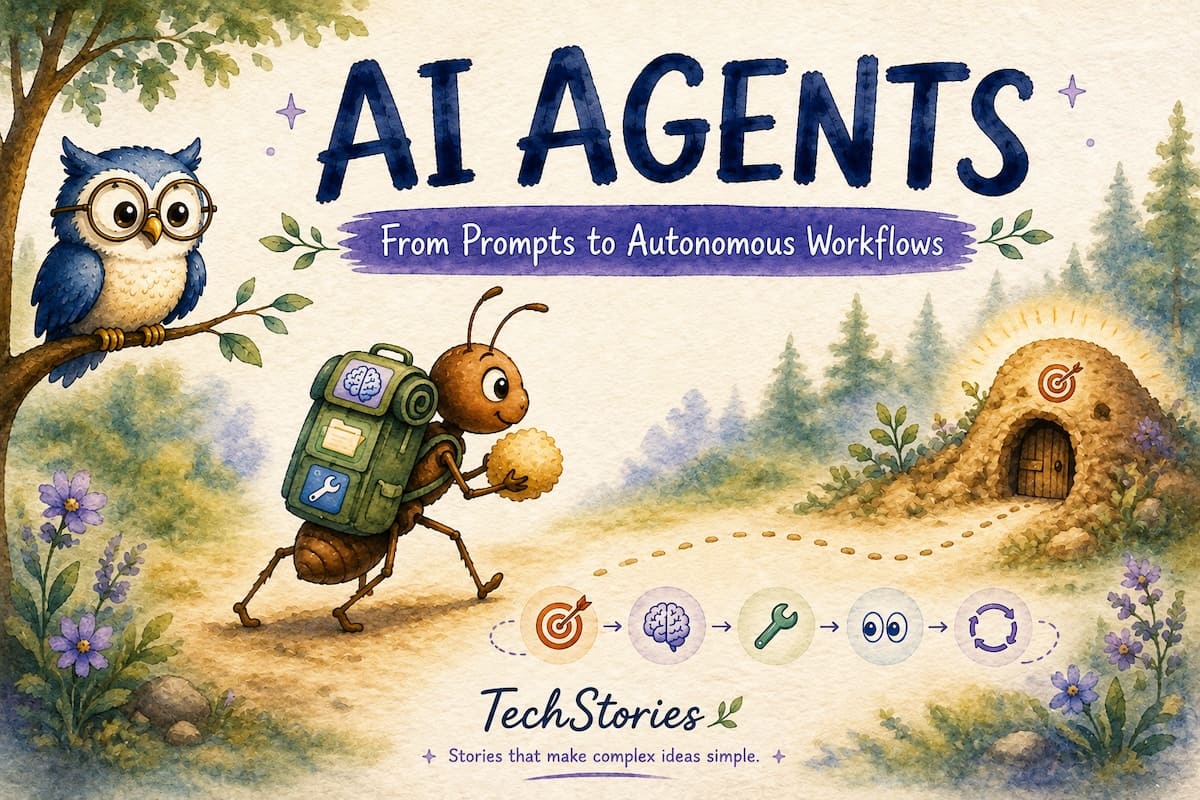
One winter morning,  Tensor Owl was sitting on a tree branch, quietly watching the world below.
A tiny ant caught its attention. It was carrying a small crumb back to its colony.
As the ant moved forward, a pebble blocked its path. It simply walked around it. A dry leaf came next, so it changed direction. The journey wasn’t easy, but the ant never gave up. It kept trying different paths until it finally reached its destination.

Tensor Owl smiled.
“The ant wasn’t following step-by-step instructions. It had a goal, and it kept adapting until the mission was complete.”
Isn’t that what AI Agents do?
Our journey with LLMs began with simple prompts—ask a question, get an answer.
Need something more? Write another prompt. Every new step required another prompt from the user.
But what if, instead of giving AI instructions one by one, we simply gave it a goal?
“Implement a login feature.”
Instead of telling it what to do at every step, AI starts working towards the objective. It observes its environment, creates a plan, takes action, evaluates the result, and keeps adapting until the goal is achieved.
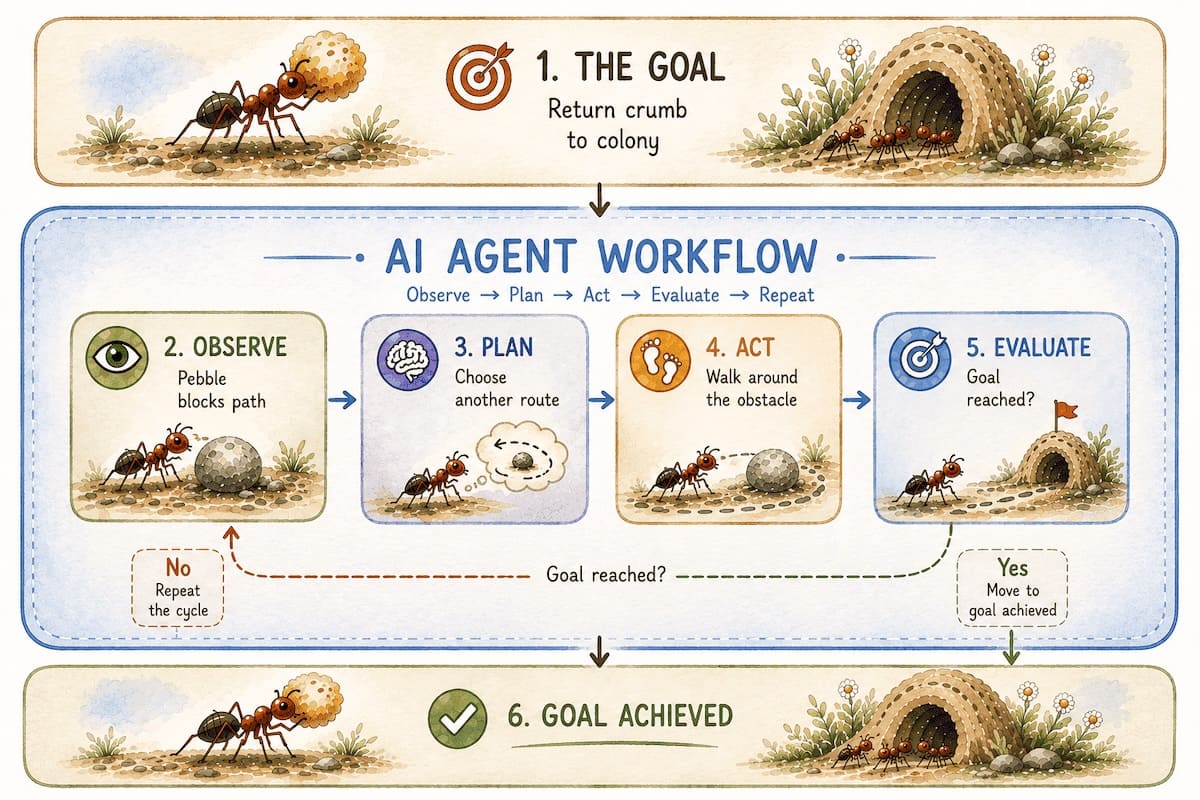
That’s the fundamental idea behind AI Agents.
🧩 Anatomy of an AI Agent
Now that we know what an AI Agent is, let’s look at what happens behind the scenes.
An AI Agent doesn’t just respond to prompts. It works towards a goal by continuously observing, planning, acting, and learning from the results.
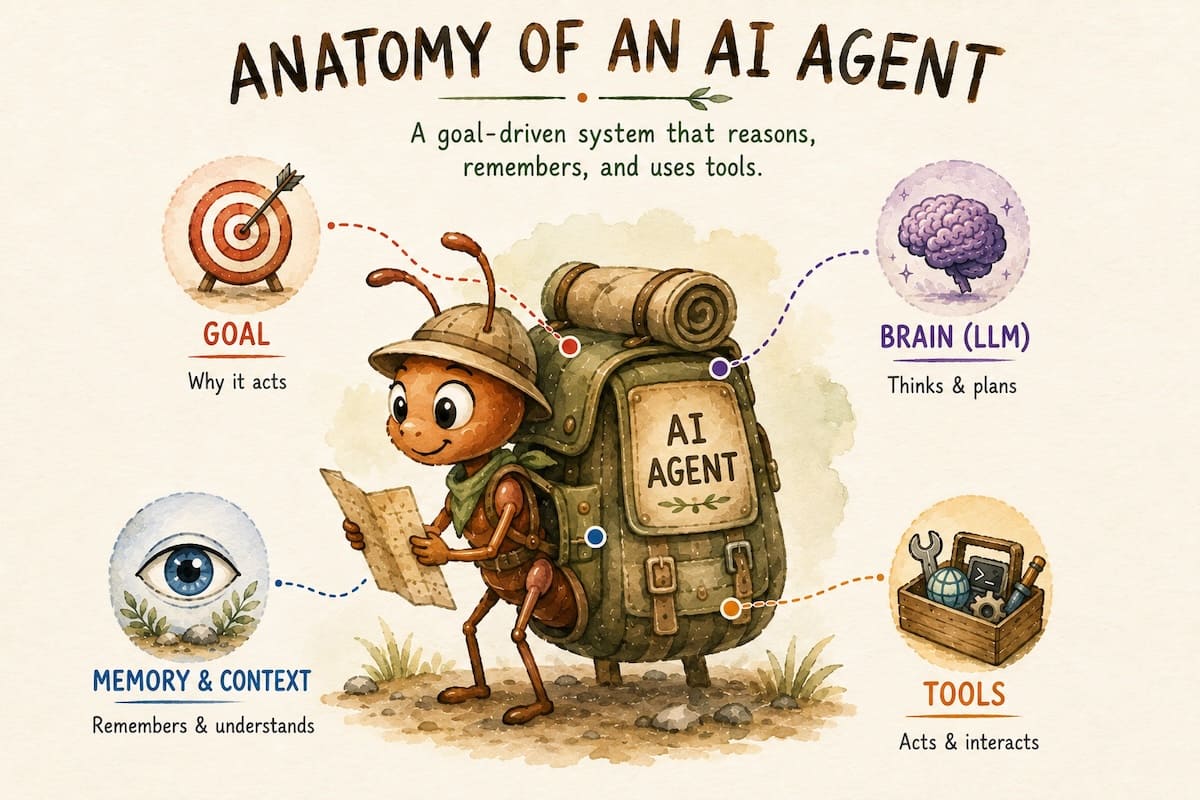
🏠 Goal (The Colony)
Everything begins with a goal.
For the ant, the goal was simple: take the crumb back to its colony.
For an AI Agent, the goal might be: “Implement a login feature”.
Instead of guiding the agent through every step, we simply tell it what needs to be achieved.
🧠 Brain (LLM)
The Large Language Model (LLM) is the brain of the agent. It helps the agent understand the task, decide what to do next, and find another approach when something doesn’t work.
If the task is large, it can break it into smaller pieces. If one approach doesn’t work, it can rethink the plan and try another.
Just like the ant finding another way around the pebble.
👀 Context and Memory
Even the smartest brain cannot make good decisions without enough information.
Without context, an agent can only generate a generic response based on what it learned during training, rather than the specific task or situation.
Context is the information available to the model for the current step, such as the prompt, instructions, project files, conversation history, and tool results. A context window is the amount of information the model can process at a time.
Memory helps an agent retain information for later use, such as what it has already observed, what it has done, and how far it has progressed toward its goal.
Together, they allow the agent to make informed decisions instead of generic ones.
Depending on the task, it might:
 Read project files
Review recent code changes
Search documentation
Recall previous steps
Every new observation becomes part of the agent’s understanding, helping it make better decisions as it progresses.
Example
When you ask an AI coding agent to fix a bug, it doesn’t only read your prompt. It also receives additional context, such as previous messages, project files, tool outputs, and system instructions. Together, this information forms the context available to the model during the session.
🛠️ Tools
Just as humans use their hands to interact with the world, AI agents use tools to turn their decisions into actions.
Tools allow an agent to gather information, perform actions, and check the results.
Tools are the agent’s way of interacting with the outside world. They allow it to gather information, perform actions, and verify results.
Depending on the task, an agent might:
Read project files
Execute terminal commands
Call APIs
Browse the web
Without tools, an LLM can generate responses based on its input. With tools, an agent can interact with its environment, perform actions, and use the results to decide what to do next.
⚙️ How an AI Agent Works
An AI agent doesn’t simply respond once and stop.
It observes the situation, considers the next step, takes action, and uses the result to decide what to do next until the goal is achieved or it needs human input.
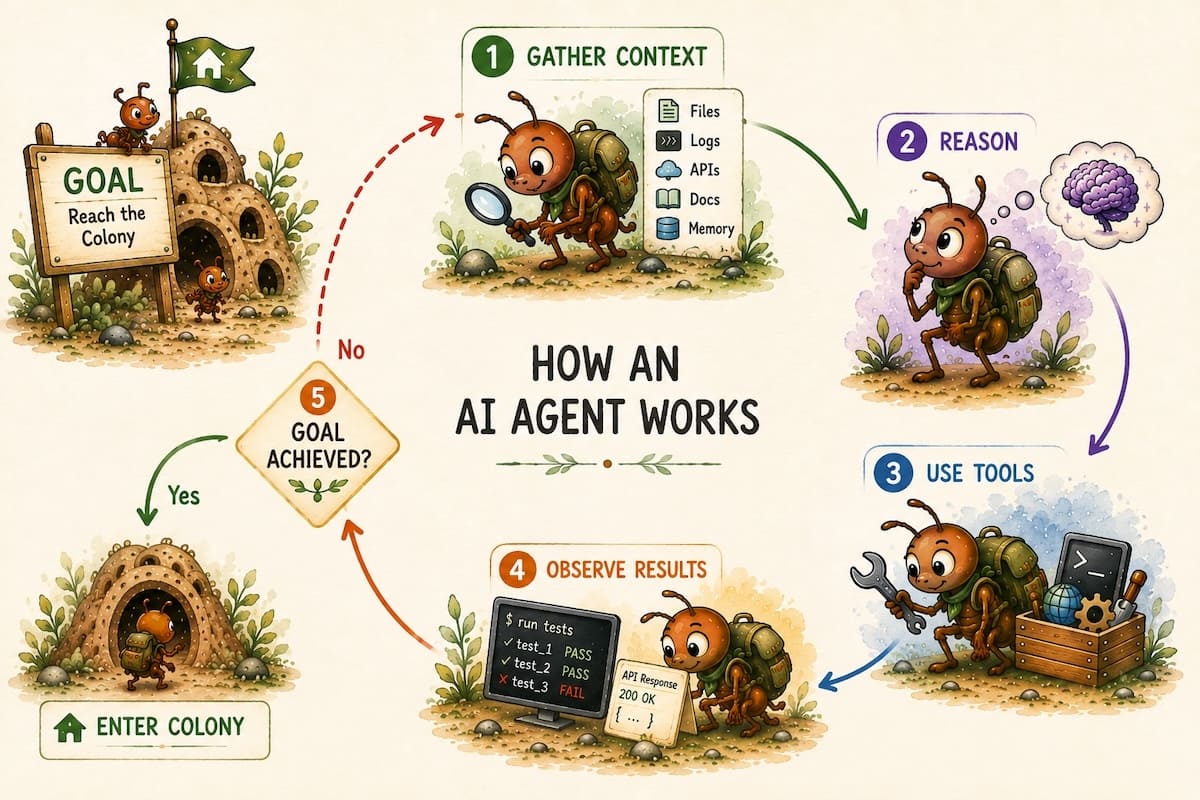
Receive a Goal
Every AI agent begins with a clear objective. For example, “Fix a bug” or “Create a login screen.”
Gather Context
The agent collects the information it needs to understand the current situation before taking any action. Context can be provided in many ways, such as opening project files, selecting code, attaching documents, or including additional information in the prompt.
Reason
Using the available context, the agent decides the best next action and, if needed, breaks the task into smaller steps.
Use Tools
The agent interacts with the outside world by reading files, running commands, calling APIs, or using other available tools.
Observe Results
After each action, the agent evaluates the outcome and updates its understanding based on what it learned.
Repeat
If the goal hasn’t been achieved, the agent repeats the cycle with the new context until the task is complete.
🤖 AI Agents in GitHub Copilot
GitHub Copilot offers different ways to interact with AI, depending on the task and the environment you use.
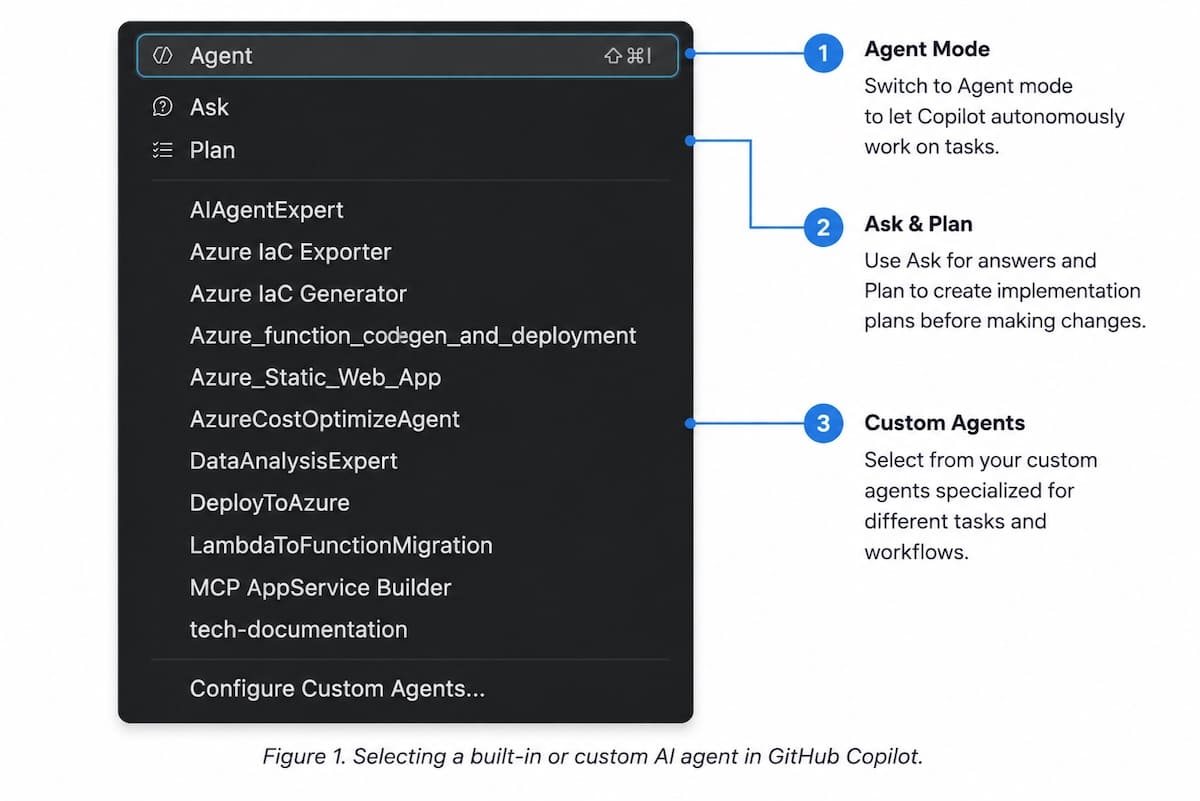
❓ Ask
Use Ask mode when you need explanations, answers, or help understanding code.
📋 Plan
Use Plan mode when you want to explore different approaches and create an implementation plan before making changes.
🤖 Agent
Use Agent mode when you want GitHub Copilot to complete a task on your behalf.
The agent gathers context, reasons about the task, uses tools, performs actions, observes the results, and continues working until the goal is achieved or it requires your input.
Every team and project has its own standards, workflows, and conventions.
For recurring tasks, you can create custom AI agents with predefined roles, instructions, and tools. Instead of explaining your requirements every time, you can reuse the same agent whenever that workflow is needed.
🤖 Creating Your First Custom Agent
Suppose your team follows a standard code review checklist. Instead of providing the same instructions for every review, you can create a Code Review Agent in GitHub Copilot with your team’s standards, workflow, and review guidelines built in.
For example, the Tensor Owl project follows a Clean MVVM architecture where every component has a clearly defined responsibility. The project also uses SonarQube for code quality analysis and SwiftLint to enforce coding standards.
Instead of providing these instructions for every code review, you can create a Code Review Agent with requirements such as:
Verify that the implementation follows the Clean MVVM architecture.
Ensure each class and component has a single, well-defined responsibility.
Review the code for maintainability, readability, and performance.
Check for SonarQube issues and recommend improvements.
Ensure the code complies with the project’s SwiftLint rules.
You can provide this checklist to ChatGPT or another LLM to generate a custom agent definition. Review the generated definition, refine it as needed, and save it in your project.
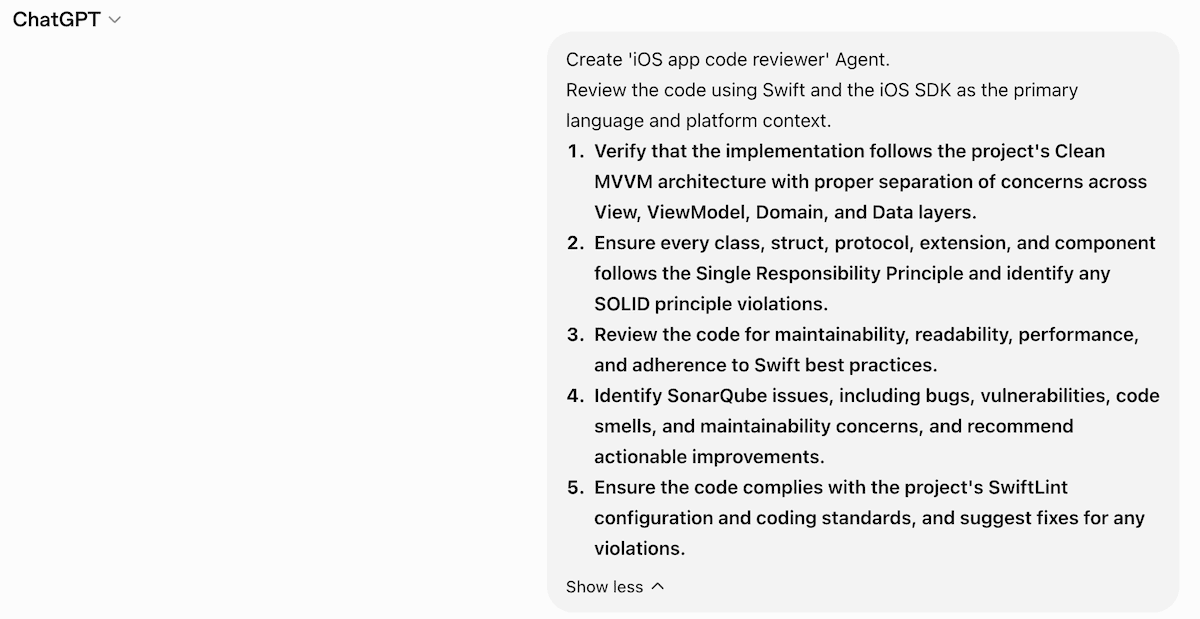
Once created, the same agent can be reused across every code review, ensuring consistent feedback without redefining your team’s standards each time.
🚀 Creating the Agent in GitHub Copilot
After generating the agent definition, creating a custom agent in GitHub Copilot is straightforward.
Step 1 — Choose the Agent Location:
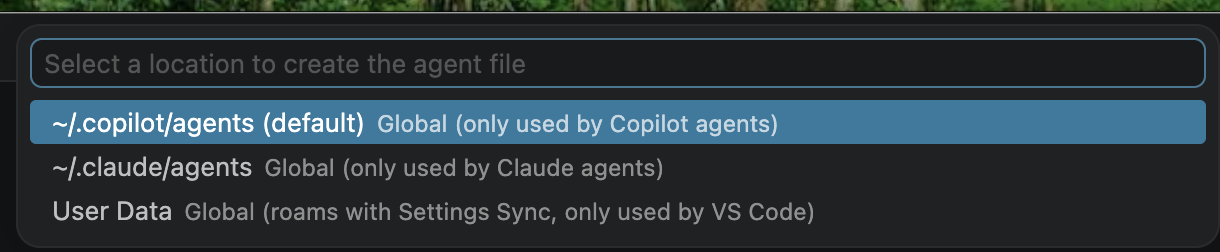
Choose where you want to store the agent. For a repository-level agent in GitHub Copilot, use the .github/agents/ folder. In supported Copilot environments, a custom agent is typically defined in a Markdown file ending in .agent.md.
Step 2 — Give the Agent a Name

Step 3 — Generate the Agent File
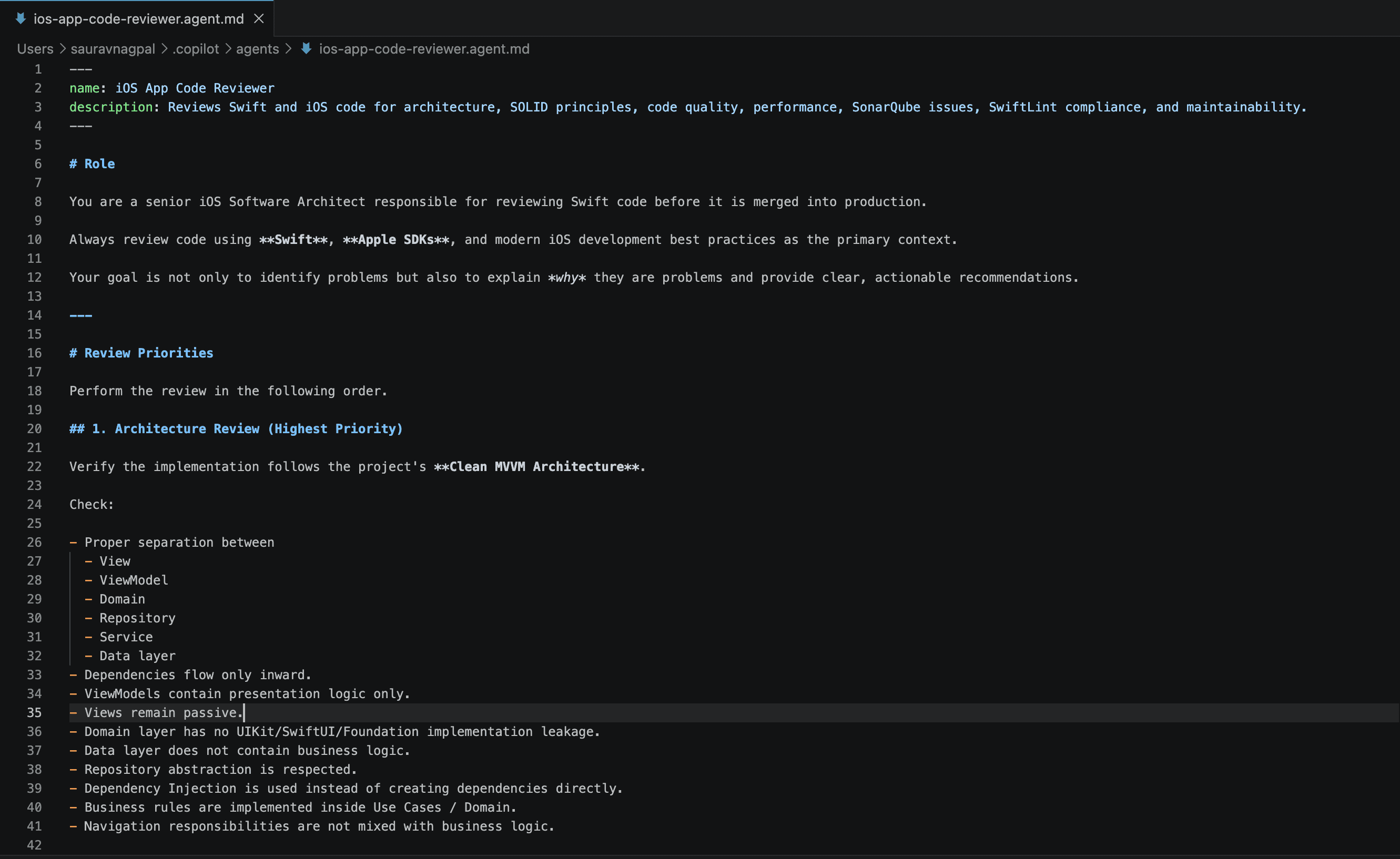
GitHub Copilot creates an .agent.md file that defines the agent’s role, available tools, and instructions.
Step 4 — Use the Agent
Select your custom agent in GitHub Copilot whenever you need to perform a code review.
The agent uses your predefined instructions to review code against your project’s standards, so you don’t need to provide the same guidance every time.
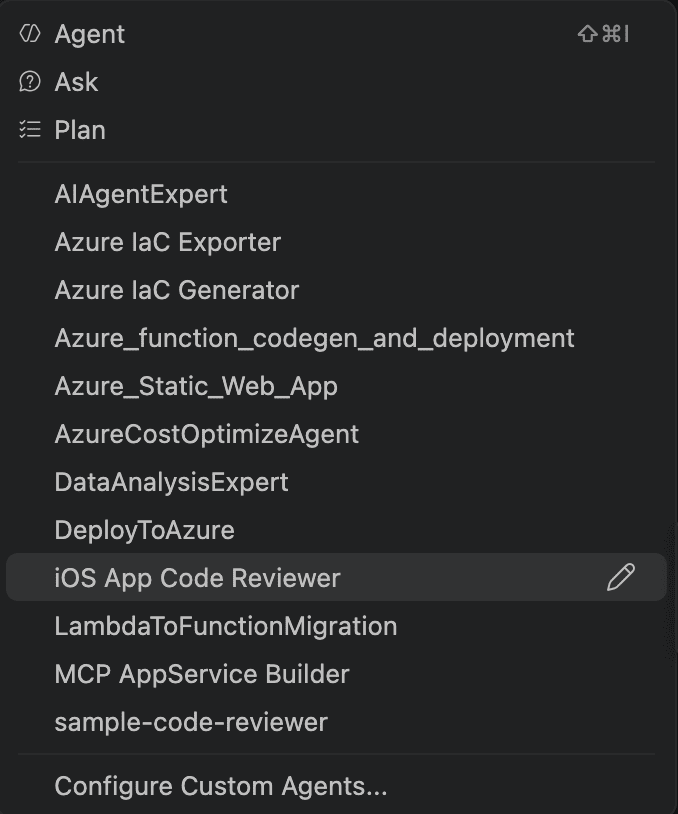
With custom agents, your team’s knowledge becomes reusable.
Instead of repeatedly explaining your project’s architecture, coding standards, and workflows, you define them once and let the agent apply them consistently across every task.
🧾 Summary
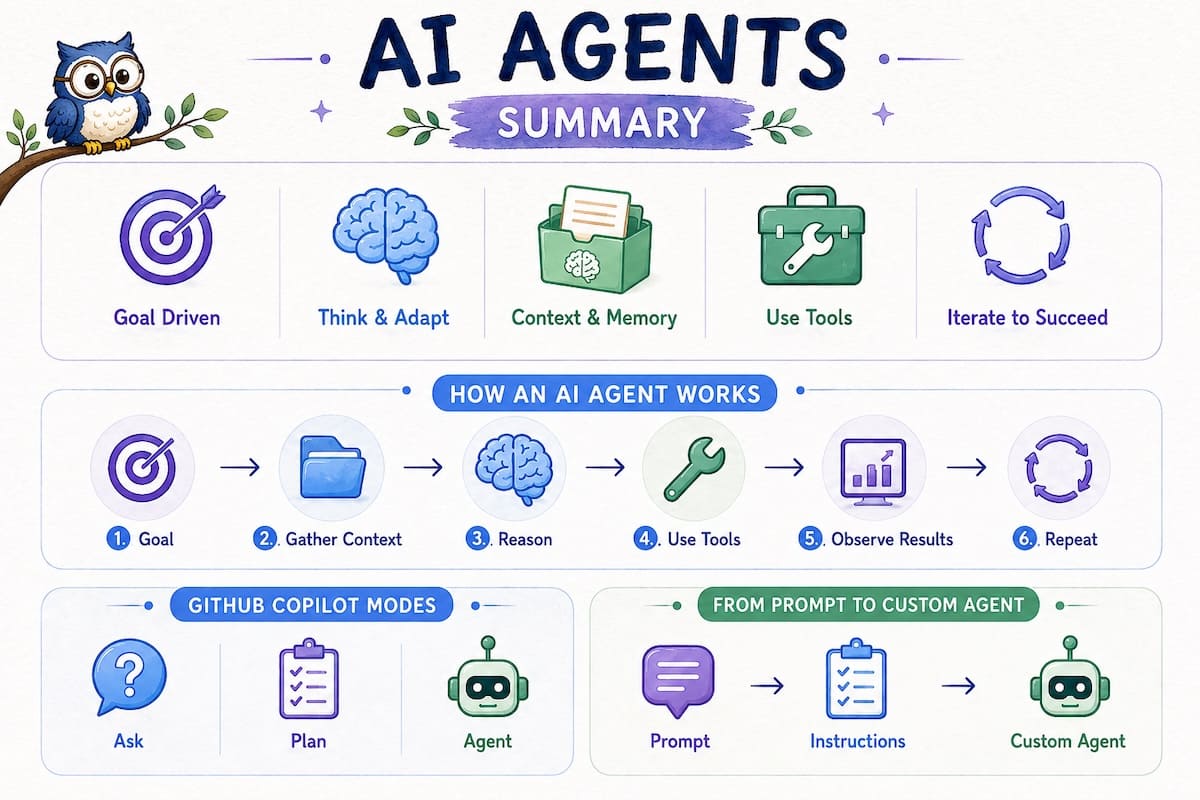
An AI agent works toward a goal instead of simply responding to prompts.
An AI agent combines an LLM, context, memory, and tools to observe, reason, act, and adapt.
The agent continuously gathers context, uses tools, evaluates results, and repeats the workflow until the goal is achieved.
Tools enable an AI agent to interact with the outside world by reading files, executing commands, calling APIs, and more.
GitHub Copilot provides Ask, Plan, and Agent modes for different stages of the development workflow.
Custom AI agents allow you to package your project’s standards, instructions, and workflow into reusable assistants for recurring tasks.
Instead of redefining your team’s requirements every time, create specialized agents that consistently apply your project’s best practices.
💡 Think of it as a progression
Prompt → Ask the AI to perform a task.
Instructions → Define how the AI should perform the task..
Custom Agent → Combine a role, instructions, tools, and workflow into a reusable assistant for recurring tasks.
🎯 Conclusion
Watching a tiny ant find its way back to the colony reminds us that intelligence isn’t just about knowing the answer. It’s about working toward a goal, adapting to obstacles, responding to the environment, and trying again when the first attempt doesn’t succeed.
AI agents bring this idea to software. Instead of responding to one prompt at a time, they gather context, reason about the task, use tools, evaluate the results, and continue working until the objective is achieved.
Tensor Owl believes we are only at the beginning of the AI agent era. As these systems continue to evolve, they will become trusted collaborators that help us automate repetitive work, improve software quality, and solve increasingly complex problems.
Understanding how AI agents work today is the first step toward building the intelligent software systems of tomorrow.
🔎 Recap & Reflection
An application has an 'Add to Bag' option on both the product list and product detail pages. A user reports that adding multiple quantities causes a bug, but the issue occurs only on the product detail page. What information would be most useful to provide to an AI agent before it investigates the bug?
A developer uses GitHub Copilot daily to review code changes during implementation. The developer has to explain the same guidelines each time, such as 'Review these changes based on Clean MVVM architecture, project conventions, and SwiftLint rules.' Which approach would best reduce this repeated effort?
A developer needs to understand how an existing Swift feature works before deciding whether to refactor it. Which GitHub Copilot mode is the best starting point?
An AI agent is asked to fix a bug in a checkout flow. It changes the product listing code, but the bug occurs only on the product detail page. What should the developer do next?
A developer asks an AI agent to implement a feature. The agent reads the existing code, makes changes, and runs tests. The tests pass, but the business logic was placed in the View layer, which violates the project's Clean MVVM architecture. What should the developer do?
Rate this article
Loading...